Court documents
Draft exhibit lists, case summaries and organized document packets from what's already in your case.
Make an exhibit list for mediation.Drafted with 14 exhibits.

Upload a file or just describe what happened. The AI Assistant creates your court documents, evidence, witnesses, timeline events and calendar dates, and files each one in the right place in your case.
Web, iPhone and Android · 30-day money-back guarantee
Example case · sample data
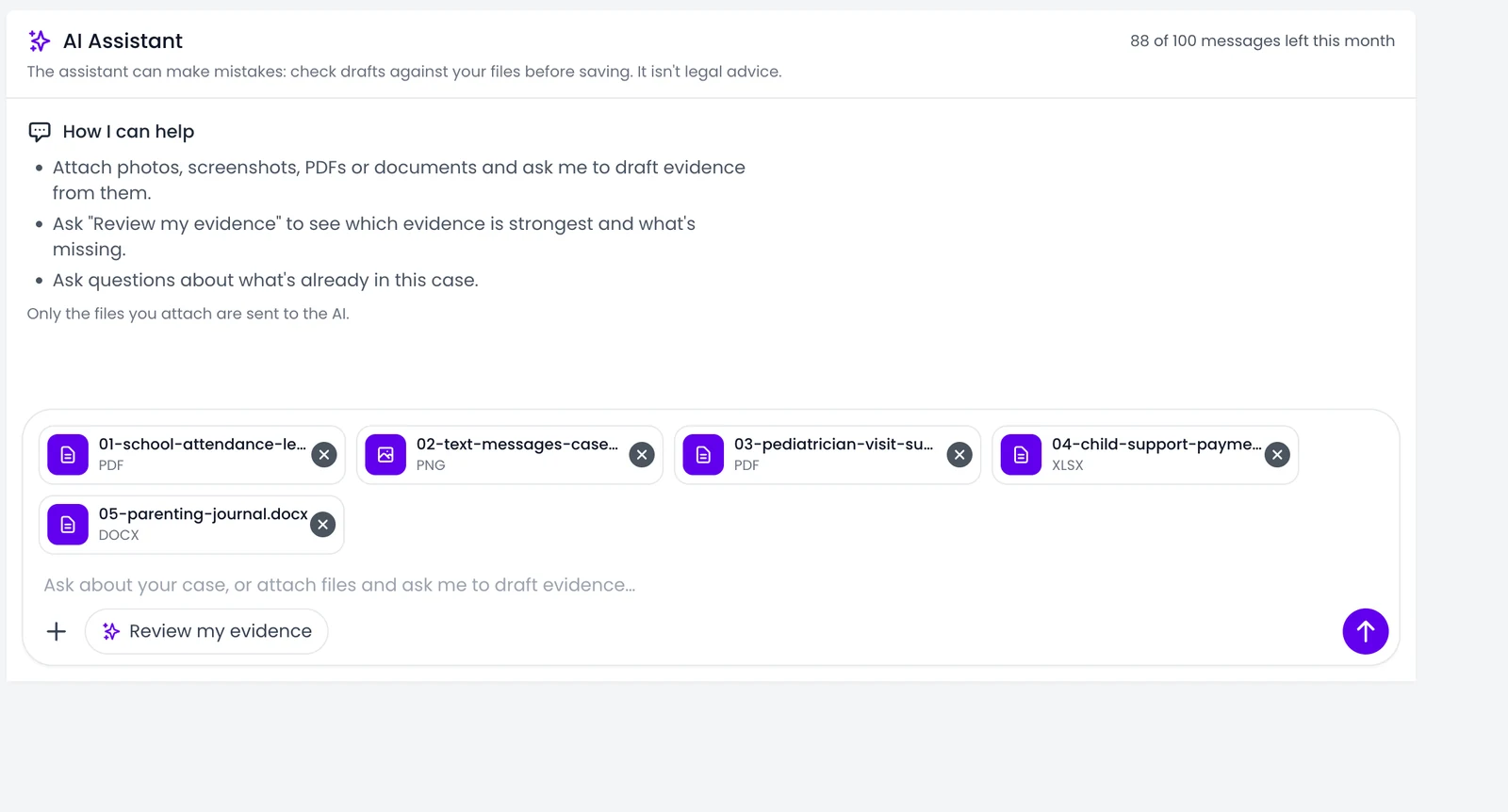
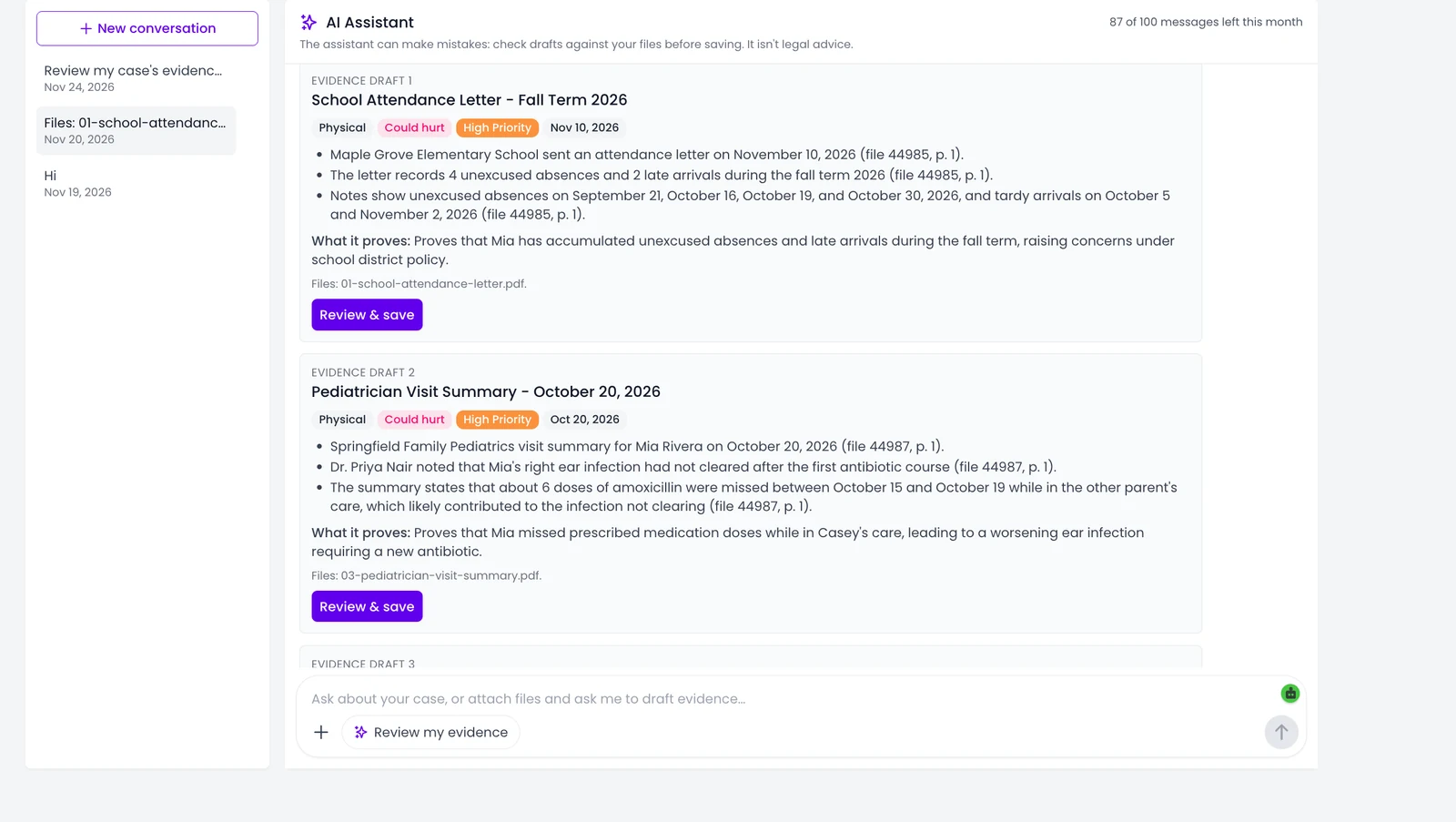
Attach your files, ask for a review, and save the evidence drafts you agree with. Every draft cites the file and page it came from.
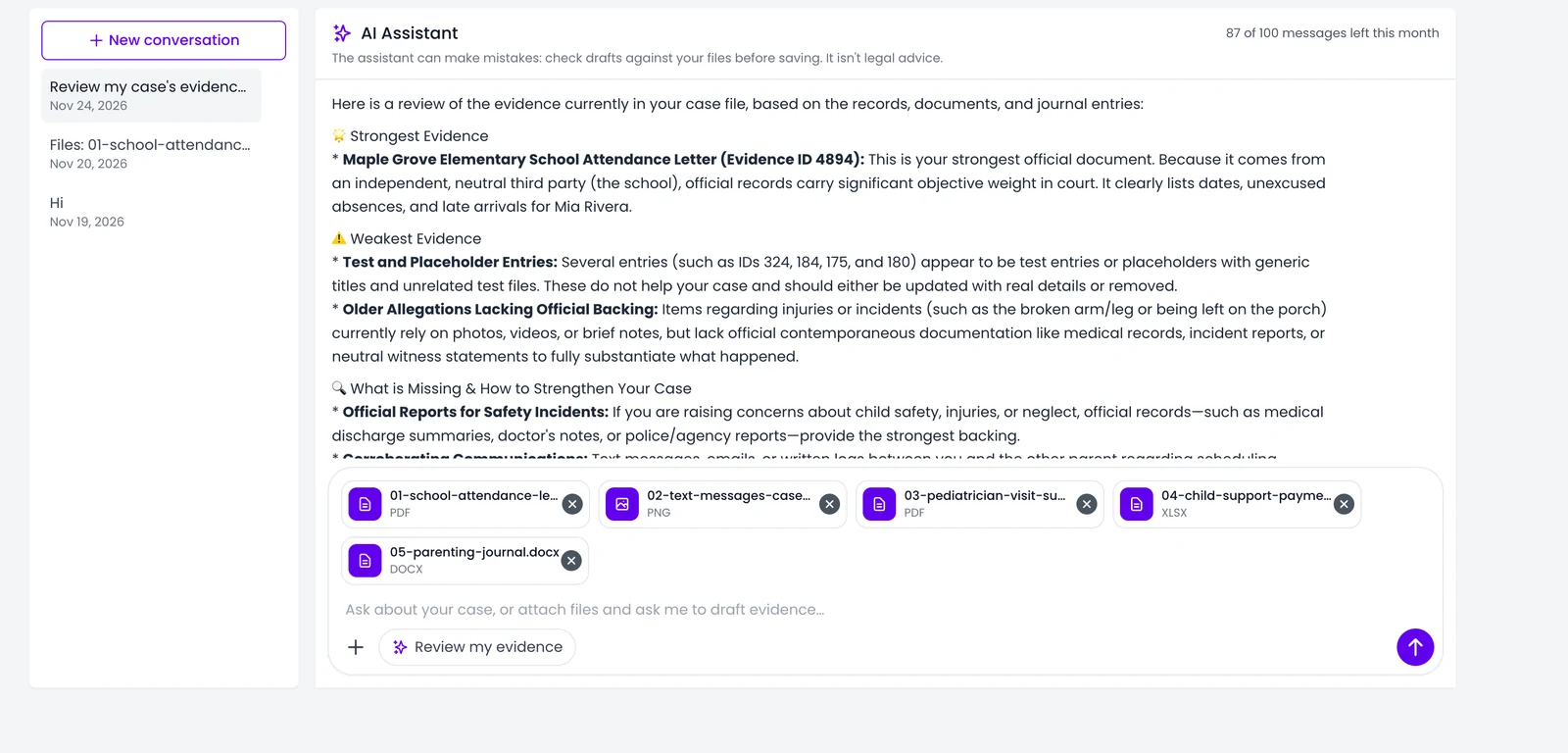
Screens from the Court Clerk app · sample case data
Every part of Court Clerk now works through chat. Ask in plain English and the AI Assistant creates the records for you, so your case stays complete without the busywork.
Draft exhibit lists, case summaries and organized document packets from what's already in your case.
Upload photos, video, audio, PDFs or screenshots. The assistant analyzes them, pulls out what matters, then tags and prioritizes each item.
Names, roles and contact details mentioned in your files become witness records, linked to the evidence they relate to.
Events from your evidence, journal and voice memos land on your case timeline in date order, with sources attached.
Court dates, deadlines and full custody schedules go straight onto your calendar from a single sentence.
Turn what your attorney asked for into a to-do list, and dictate daily journal entries the assistant writes up for you.
See whose time is whose at a glance, with court dates, exchanges and notes on the same calendar as the rest of your case.
Upload files, snap photos, record voice memos, or forward emails straight to your case.
The AI Assistant creates evidence, witnesses, documents, timeline events and calendar dates from what you add.
Check its work, invite your attorney, and walk into every appointment prepared.
All the tools you rely on are still here. Use them by hand, or let the AI Assistant fill them in.
Add filings and orders, open them anywhere, and let the assistant draft exhibit lists and summaries.
Add video, audio and images in real time. Tag and prioritize in one click.
Keep witness names, contact information and notes with your case.
View your entire case and its history from multiple timeline views.
Court events, deadlines and custody schedules in one calendar.
Stay on top of your most important tasks.
Record or upload a memo whenever a thought comes up. Every memo is transcribed.
Document daily activities and events while they're fresh.
Chat with invited parties in the app. Every conversation is documented and stored.
Forward documents from your inbox and they're added directly to your case.
Create folders and upload in one click to keep everything organized.
Upload and analyze evidence, create records and build schedules by asking.
Invite clients to upload evidence into their own case. The AI Assistant reviews it for you, and every conversation stays with the case it belongs to.
The purpose of this app is to ease the emotional distress a person can have when going through one of the toughest times of their life.Judge Anthony BompianaCourt Clerk
Capture evidence the moment it happens, check tomorrow's schedule, or ask the AI Assistant a question from the courthouse hallway.
Only the people you invite can see your case. Only the files you attach are sent to the AI, and you decide what gets shared with your attorney or other parties.
The AI Assistant helps you organize. It does not give legal advice and is not a substitute for an attorney.
Anyone going through a court case who wants their documents, evidence and dates in one place. Many of our customers are parents in family court working through divorce or custody matters.
It analyzes the evidence you upload and creates records for you across the app: court documents, evidence entries, witnesses, timeline events, calendar dates, custody schedules, to-dos and journal entries. You ask in plain language, the same way you'd text someone.
Yes. Every feature works the way it always has. The AI Assistant is there when you want it to do the work for you.
No. The AI Assistant helps you organize and understand your own materials. Always review its work and talk with a licensed attorney about legal strategy and filings.
Yes, if you invite them. You control who has access, and invited parties can chat with you directly in the app.
Every plan comes with a 30-day money-back guarantee.
Start today, or schedule a live demo and we'll show you the AI Assistant building a case from scratch.