Review every client upload
Documents, screenshots, photos, audio and video are analyzed as they arrive, with a short summary of each and the key moments called out.
What's new in the Smith case?12 uploads reviewed, 4 flagged as key.

Your clients upload evidence straight into their own case. The AI Assistant analyzes it, pulls out the dates, people and statements that matter, and builds timelines and exhibit lists. You move between clients in one click, and every message stays with the case it belongs to.
Plans from 25 to unlimited concurrent cases · AI Assistant included · Unlimited client invitations
Example firm workspace · sample data
Clients send a lot. The AI Assistant reads it first, so you start from an organized summary of what matters instead of a pile of uploads.
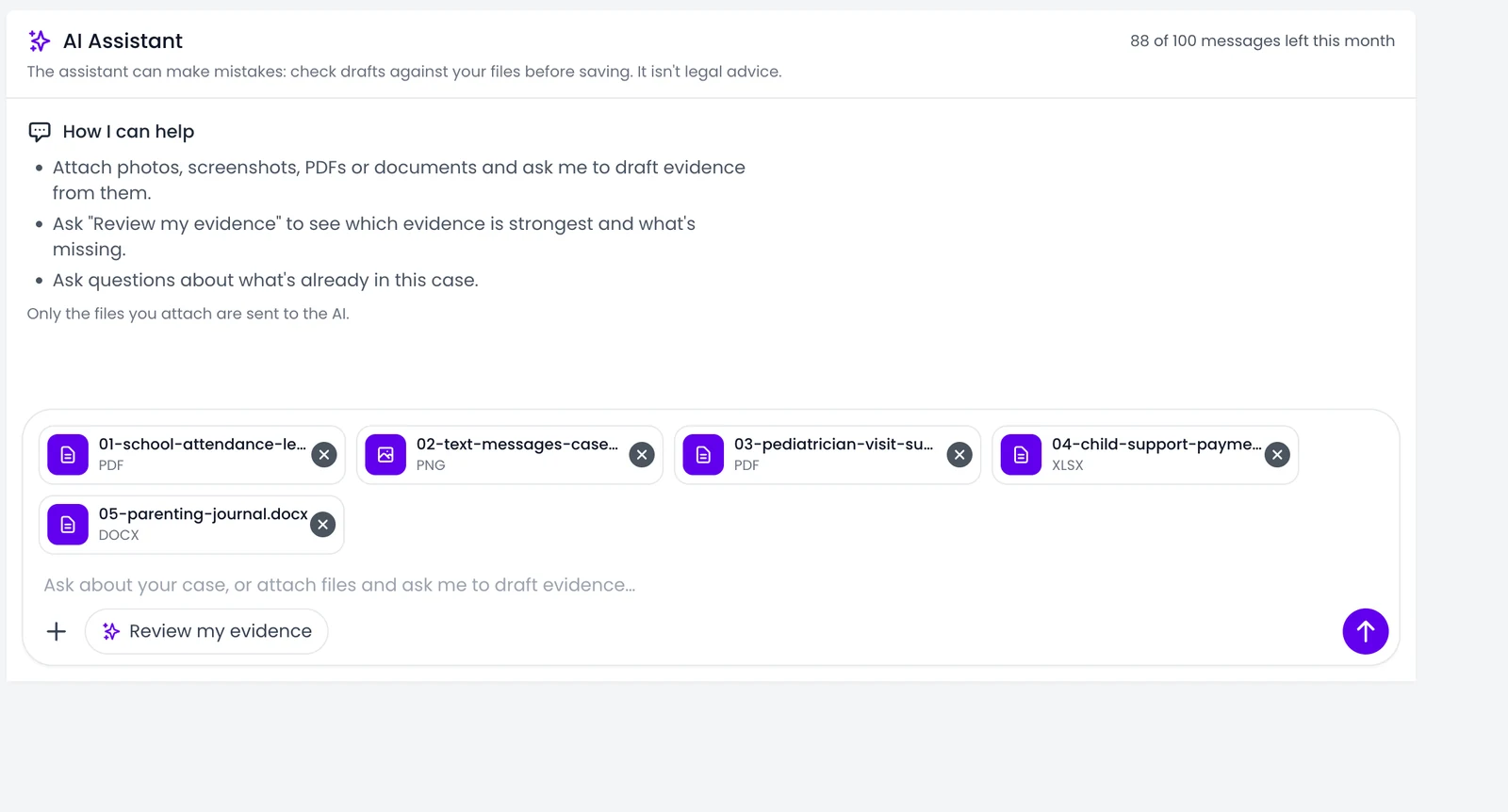
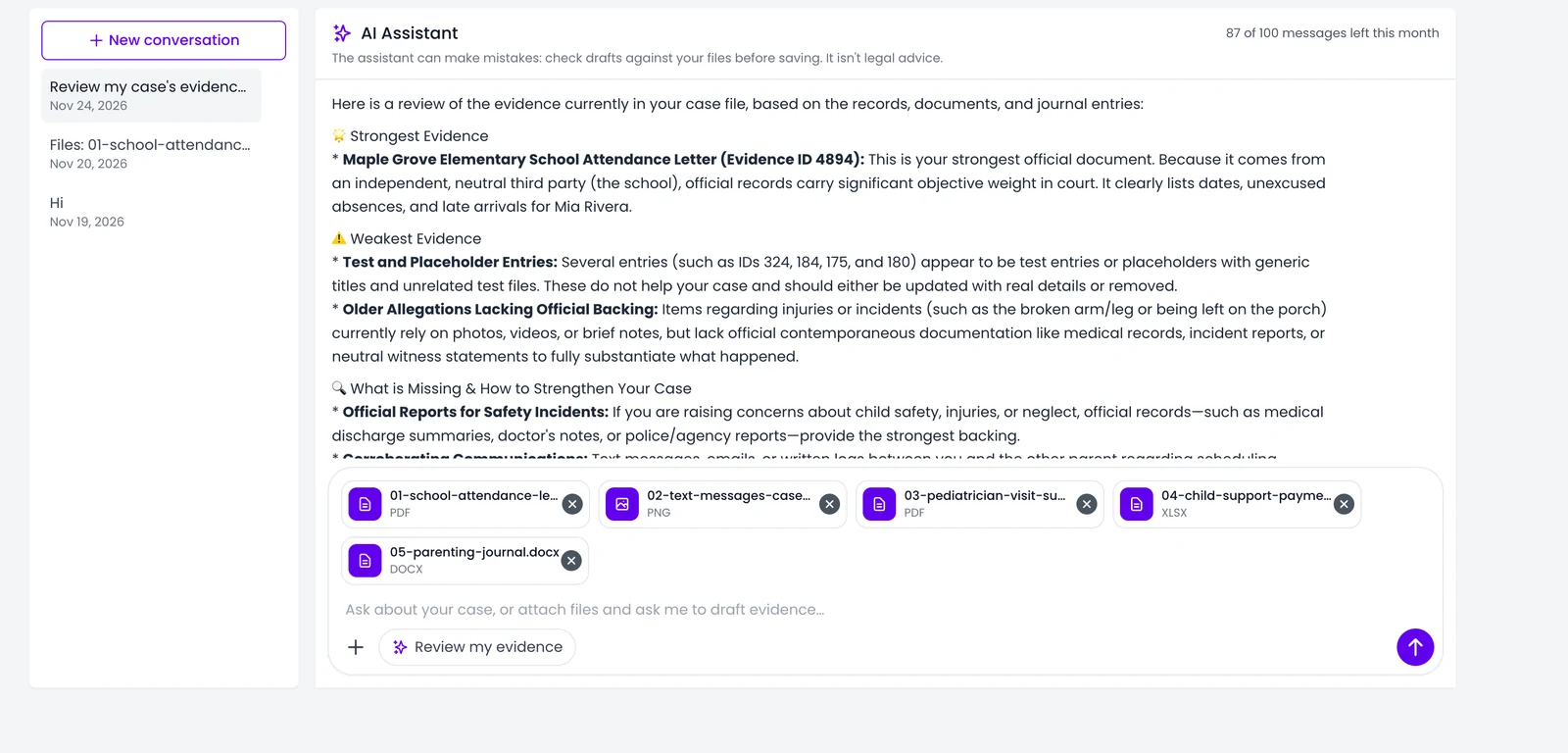
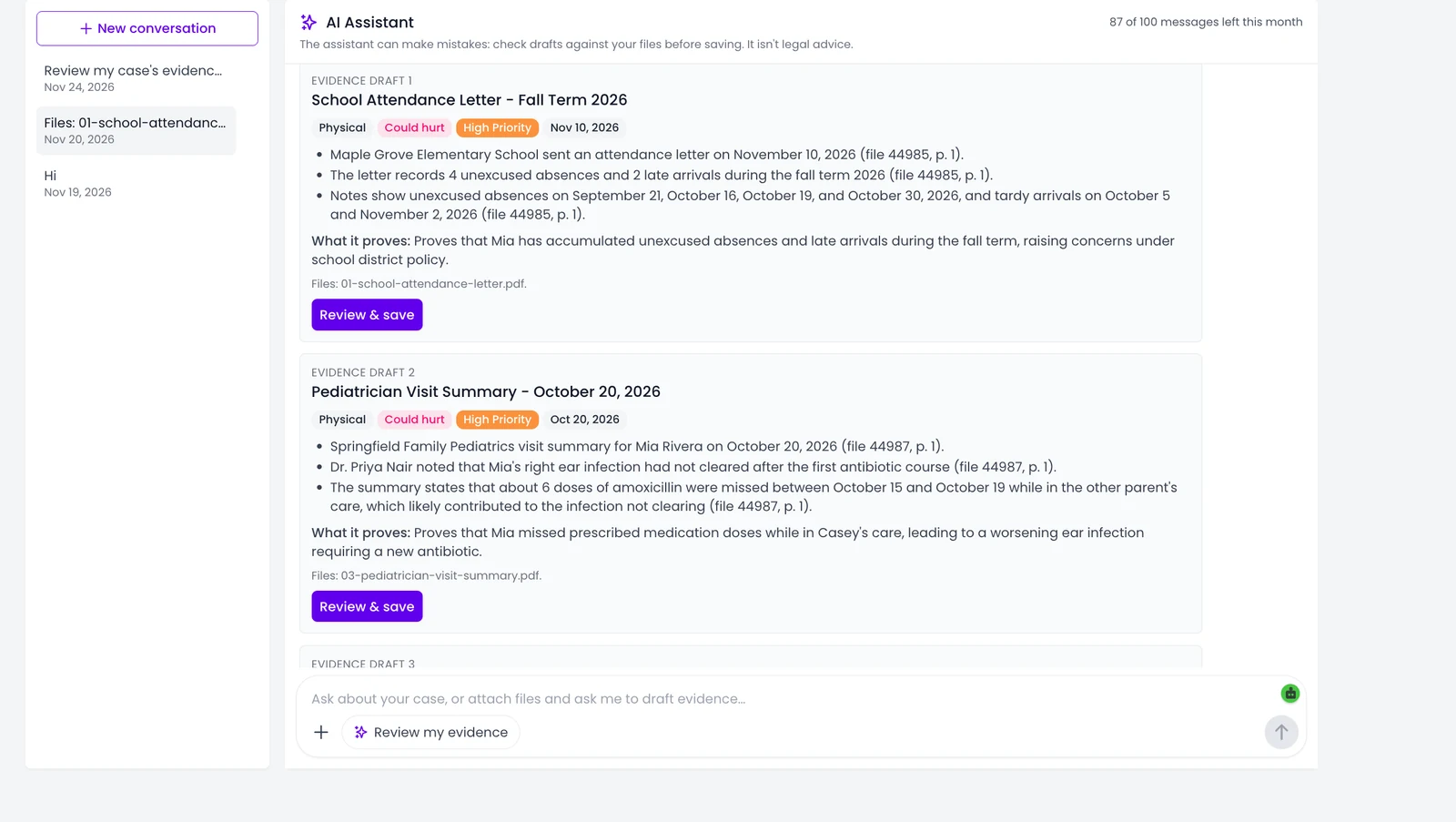
Screens from the Court Clerk app · sample case data
Documents, screenshots, photos, audio and video are analyzed as they arrive, with a short summary of each and the key moments called out.
Ask a question across everything in a case and get the specific messages, photos and entries that answer it.
The assistant points out dates that don't line up and claims without supporting evidence, so you can follow up with your client early.
Turn reviewed evidence into a numbered exhibit list or a case summary you can edit, ready for mediation or a hearing.
Dated events from evidence, journals and transcribed voice memos land on the case timeline, each linked to its source.
People named in the evidence become witness records for your side or the opposition, linked to what they saw.
Every client gets their own case, and you see all of them from a single login. Switch between cases in one click without juggling separate accounts or shared drives.
Sample data
Stop digging through texts and email threads. Chat with clients inside their case, and every message, file and reply stays documented in one place.
Create the case and send an invitation. Your client signs in on the web or the mobile app.
Evidence, journal entries and voice memos come in, and the AI Assistant analyzes each one as it arrives.
Start from the summary, check the flagged items, message your client, and build the exhibit list.
Every professional plan includes the AI Assistant and unlimited invitations to clients who can upload data to their cases.
| Plan | Concurrent cases | Client invitations | AI Assistant | Price |
|---|---|---|---|---|
| Basic | 25 | Unlimited | Included | $499/mo |
| Standard POPULAR | Up to 50 | Unlimited | Included | $799/mo |
| Professional | 100 | Unlimited | Included | $999/mo |
| Unlimited | Unlimited | Unlimited | Included | $1,499/mo |
No. Each client has their own case, and only the people invited to that case can see it.
Attorneys, consultants and anyone working with multiple clients on court cases. Plans range from 25 concurrent cases up to unlimited, and every plan includes the AI Assistant.
It analyzes files inside the case they were uploaded to and works only with that case's materials. It summarizes, organizes and flags items for your review. Final judgment on evidence and strategy stays with you.
Yes. Clients can capture and upload evidence from the Court Clerk iPhone and Android apps or on the web.
Schedule a demo and we'll walk you through the firm workspace and the AI Assistant's evidence review.